Text tool
Binary Translator
Translate text to ones and zeros — and back.
Text or binary
Binary
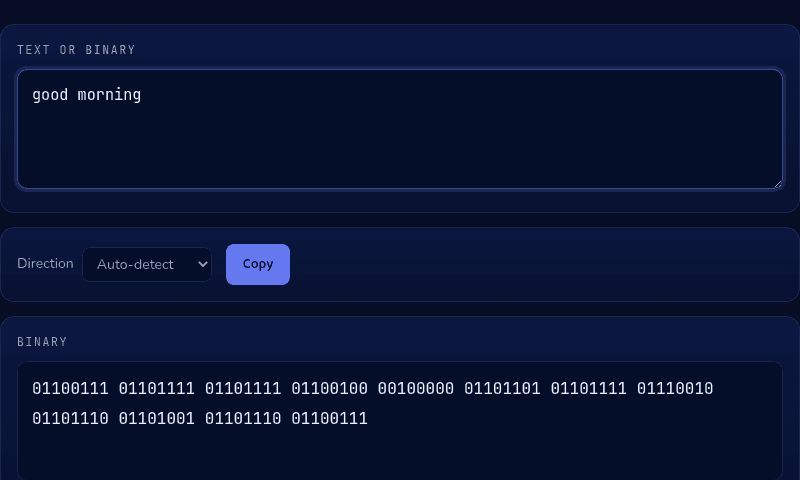
Characters encode as 8-bit bytes (16-bit for characters beyond Latin-1), separated by spaces.
How it works
This binary translator auto-detects direction: type text and it outputs one 8-bit byte per character (16 bits for characters beyond basic Latin, like emoji), or paste binary and it decodes each group back to its character. Every character has a fixed number in the Unicode standard — lowercase h is 104 — and binary is simply that number written in base 2 instead of base 10.
When you'd use this
- Checking homework or a computer science assignment: verifying a hand-converted binary answer instantly instead of re-doing the base-2 math to double-check it.
- Decoding a binary message or t-shirt joke: pasting a string of ones and zeros found online or printed on a shirt to see what it actually says.
- A novelty message or puzzle: encoding a short phrase into binary for a puzzle, escape room clue, or a geeky gift message.
Frequently asked questions
How do you say 'hello' in binary?
'hello' in 8-bit binary is 01101000 01100101 01101100 01101100 01101111 — one byte per letter, using each letter's Unicode/ASCII number written in base 2.
Why is each letter 8 digits?
Computers group bits into 8-bit bytes, and standard English characters fit in one byte (values 0–255). Eight digits per character is the conventional way to write text as binary.
Can this decode binary back to text?
Yes — paste the binary (groups of 0s and 1s separated by spaces) and the translator auto-detects it and outputs the original text.
What about emoji and non-English letters?
Characters beyond the Latin-1 range don't fit in 8 bits, so the tool encodes them as 16-bit groups. Complex emoji may span multiple 16-bit units, matching how computers actually store them.
From the blog
Related tools