Tint tool
Color Palette Generator
Enter one color, get a wall of matching palettes.
Base color
Shades
Tints
Tones
Neighbors
Matching
Complement Pop
Split Ends
Triad
Square Dance
Dusty
Pastel Friends
Deep Sea
Grey Friends
Highlight
Hue Walk
Gradient Stops
How it works
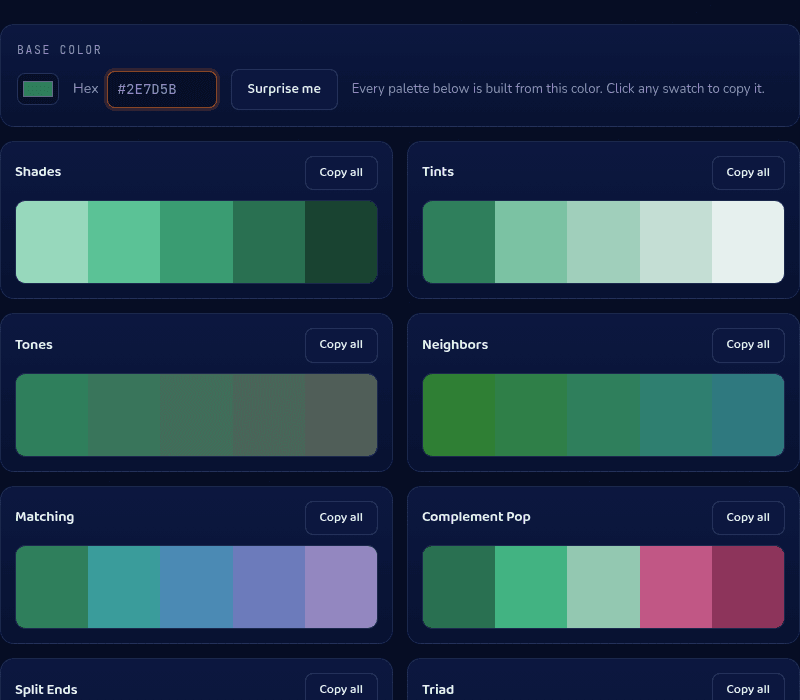
This color palette generator applies sixteen fixed formulas to one base color in HSL space — Shades steps lightness toward black, Neighbors rotates hue by a small angle for harmony, Complement Pop jumps 180° across the color wheel for contrast, and so on. Because each formula is deterministic, the same hex code always produces the same wall of palettes, so a brand color generates a reusable, repeatable result rather than a one-off.
When you'd use this
- Starting a brand or UI color system: pasting one brand hex and pulling a background tint, a text shade, and an accent color from the generated palettes instead of picking each by eye.
- Matching an existing photo or logo: sampling one color from a photo or logo and generating a coordinated set of complementary and analogous colors to build a page around it.
- Breaking creative block on a palette: hitting Surprise Me for a random base color when starting from a blank page, then refining from whichever generated palette looks closest to right.
Frequently asked questions
How do I generate a color palette from one color?
Enter a hex code (or use the picker) and all sixteen palettes regenerate instantly. Click any swatch to copy its hex, or Copy All to grab a whole palette as a comma-separated list.
What's the difference between shades, tints, and tones?
Shades mix your color toward black, tints toward white, and tones toward grey. All three keep the hue itself unchanged — they only move lightness or saturation.
What is a complementary color?
The color directly opposite yours on the color wheel — 180° away in hue. Complementary pairs have maximum contrast in hue, which is why they 'pop' together.
Are these palettes random?
No — every palette is a fixed formula applied to your color, so the same input always gives the same output. Use the Surprise Me button when you want a random starting color.
From the blog
Related tools