Tint tool
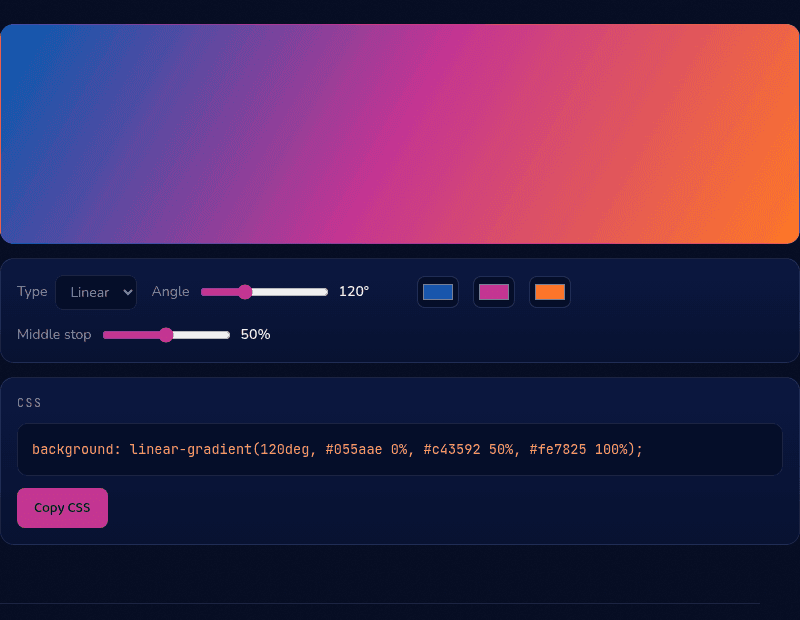
3-Color Gradient Generator
Blend three colors into one smooth gradient.
CSS
background: linear-gradient(120deg, #055aae 0%, #c43592 50%, #fe7825 100%);
How it works
This 3-color gradient generator blends three colors with a movable middle stop, so you control exactly where the center color peaks rather than accepting an even split. It supports linear, radial, and conic gradient types — linear travels in a straight line, radial radiates from a center point, and conic sweeps around a center like a clock hand — and outputs the finished CSS as you adjust it.
When you'd use this
- Sunset-style hero backgrounds: blending a blue, magenta, and orange into a vivid three-stop gradient that stays saturated the whole way, avoiding the grey "muddy middle" a two-color gradient can produce.
- CSS-only pie charts and data visuals: using a conic gradient with hard color stops to build a simple pie chart or progress indicator without an image or charting library.
- Animated rotating-border effects: generating a conic gradient with a bright segment as the base for a spinning-border effect on a card or button, a common modern SaaS design pattern.
Frequently asked questions
How do I make a gradient with 3 colors in CSS?
List three color stops: background: linear-gradient(120deg, #055aae 0%, #c43592 50%, #fe7825 100%). The middle percentage positions the second color — this tool generates the line for you with a slider for that value.
What does the middle stop percentage do?
It sets where along the gradient the middle color reaches full strength. 50% centers it; lower values push the blend toward the start color, higher toward the end.
What is a conic gradient used for?
Anything that sweeps around a center: CSS-only pie charts, color-wheel pickers, loading rings, and animated rotating borders. It's supported in all modern browsers.
Can I animate these gradients?
Directly animating gradient colors isn't smoothly supported, but two standard tricks work: animate background-position on an oversized gradient, or animate a custom @property angle for conic gradients.
From the blog
Related tools