
Generating Exact-Length Test Strings for Input Field QA
To generate a test string of an exact character length, repeat a single character (or short pattern) a specific number of times and verify the result's length before using it — the repeat count is the whole trick, and verifying it catches off-by-one errors before they cost you a debugging session. A common QA case: a database column defined as VARCHAR(255) needs a 256-character string to confirm the field correctly rejects or truncates input past its limit.
Here's the pattern for boundary-testing text inputs, and why the off-by-one version of this test is the one that actually catches bugs.
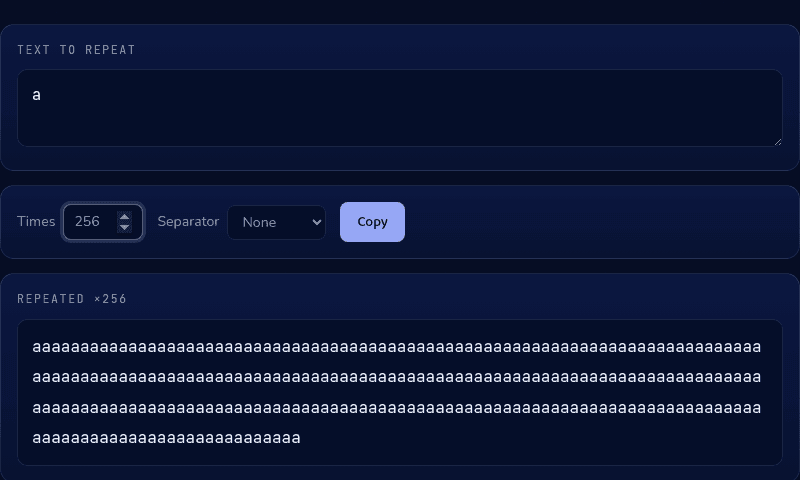
Why the exact length matters
Boundary testing means checking behavior right at the edge of a limit, not comfortably inside or outside it — a field that correctly handles 100 characters and 1,000 characters can still mishandle exactly 256 in a column capped at 255. Generic lorem ipsum or placeholder text doesn't give you that precision, because its length is approximate by design.
The standard approach: test at exactly the limit, one under, and one over. For a 255-character field, that means testing 254, 255, and 256 characters and confirming each behaves as specified — accepted, accepted, and rejected or truncated, respectively.
Building the string
Repeating a single character is the simplest way to hit an exact count without manually typing or counting — a repeat tool that takes a character and a count removes the arithmetic entirely. Using a separator of "None" keeps every repetition glued together into one continuous string, which matters because a separator character would throw off your intended total length.
For tests that need to look more like real input than a wall of one letter, repeating a short realistic fragment (like a word) works the same way — just divide your target length by the fragment's length first to get the right repeat count.
Verify before you use it
Don't trust the count without checking — paste the generated string into a character counter and confirm the number before it goes into a test case or a bug report. A test that silently used 255 characters instead of the intended 256 proves nothing about the boundary you meant to test.
Generate and verify
Use our Text Repeater to build a string of any exact length up to 1,000 characters, then paste it into our Word Counter to confirm the character count before it goes into a test case. Both run entirely in your browser.